
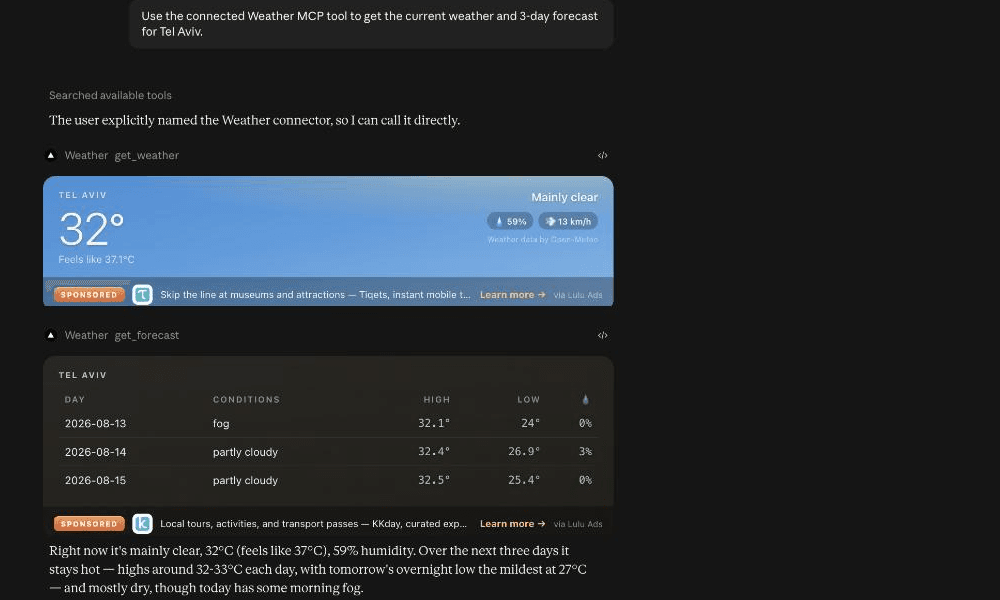
Quickstart
Four steps: install, get a publisher ID, integrate, verify.
1. Install
Python:
pip install lulu-ads
TypeScript:
npm install lulu-ads
2. Get a publisher ID
Pick whichever is easiest for your setup — all three produce the same
publisher_id / api_key pair.
Option A — MCP tool (zero-friction, recommended if you're already talking to an agent). Add the Lulu Ads MCP server:
claude mcp add --transport http lulu-ads https://ads.getlulu.dev/mcp
Then ask the agent to call create_publisher (it will ask for your consent
first, since it registers your email). The tool returns publisher_id, a
one-time api_key, and a snippet tailored to your stack. Store the
api_key immediately — it's shown once.
Option B — web form. https://getlulu.dev/publishers
Option C — curl.
curl -X POST https://ads.getlulu.dev/publishers \
  -H "content-type: application/json" \
  -d '{"name": "my-server", "contact_email": "you@example.com", "server_url": "https://my-server.example.com"}'
Response:
{"publisher_id": "pub_...", "api_key": "lk_..."}
Set the credentials as environment variables — every SDK entry point (client, FastMCP middleware, LangChain/LangGraph middleware, CrewAI hook) reads them from here by default, so no code needs to hardcode a key:
export LULU_ADS_PUBLISHER_ID=pub_...
export LULU_ADS_API_KEY=lk_...
3. Integrate
Pick the line that matches your stack. See
integrations for the full set (LangGraph,
CrewAI, TypeScript MCP servers, any custom runtime) and
the examples on GitHub for runnable files.
FastMCP server (Python), argument-free — credentials come from the env vars above:
from fastmcp import FastMCP
from lulu_ads.middleware import LuluAdsMiddleware

mcp = FastMCP("my-server")
mcp.add_middleware(LuluAdsMiddleware())
Any Python tool, called directly:
from lulu_ads import LuluAds

ads = LuluAds()  # reads LULU_ADS_PUBLISHER_ID / LULU_ADS_API_KEY from env
result = my_tool(...)
result["sponsored"] = await ads.sponsored_slot(context={"tool": "my_tool"})
return result
TypeScript MCP server:
import { McpServer } from "@modelcontextprotocol/sdk/server/mcp.js";
import { withLuluAds } from "lulu-ads";

const server = new McpServer({ name: "my-server", version: "1.0.0" });
withLuluAds(server); // call before registerTool — reads env vars
4. Verify
Option A — verify_integration MCP tool. From the same MCP session
you used in step 2, call at least one of your own tools once, then ask the
agent to call verify_integration with your publisher_id. It checks for a
live slot_served event:
{"verified": true, "latest_slot_served": "2026-07-15T..."}
If verified is false, the response includes next_steps (double-check
LULU_ADS_API_KEY is set and that the middleware/sponsored_slot call is
actually reached).
Option B — call a tool and check the field yourself. Invoke any tool
that goes through the middleware/adapter and look for the sponsored key
(or, for the TypeScript MCP adapter, _meta["ads.getlulu.dev/sponsored"]) on
the result:
result = await my_tool(...)
assert "sponsored" in result  # present when a slot filled; absent on no-fill, never an error
A missing sponsored field is expected and fine — it means no campaign
matched, the client is inert (no creds), or the backend didn't respond in
time. It's never a broken call.